

Short Answer
One dieline multiple flavors is a single folding-carton structure shared across a flavor family. Cut lines, creases, board grade, child-resistant mechanism, and compliance zones stay fixed. Only the flavor artwork changes.
The method pays off because one structural file, one die, and one approval cycle serve the whole line. It fails the moment a new device size, a different lock, or a larger warning panel changes the envelope.
Start with our custom vape packaging hub for the carton formats this method covers.
I pulled internal pre-press telemetry from 50 multi-flavor runs and interviewed LeelinePackage’s Senior Packaging Engineer. We print millions of vape boxes every year.
This guide covers folding-carton vape packaging, not different box structures. It suits designers and product teams managing a flavor family, not a one-off box.
Prerequisites for One Dieline Multiple Flavors
I built this checklist from 50 multi-flavor runs on our own floor. Before Step 1, confirm you have:
- Manufacturer-approved dieline (PDF or .ai, cut and crease on separate layers)
- Exact box dimensions, board grade, and closure style
- Child-resistant status per market (ISO 8317 or 16 CFR 1700.20)
- Print method (offset, digital, flexo) and the full flavor roster
- Regulatory copy set and barcode assignments
- One named approval owner, not a committee
One dieline works only if every flavor shares: product format, insert or fitment needs, structural openings, warning-panel footprint, panel count, board thickness (±0.5 mm), and lock or glue configuration.
One dieline fails if flavors differ in: device or bottle size, child-resistant mechanism, internal fitment, net-content panel size, barrier or board requirement, or claims that force layout expansion. On our last run, one 2 mL size change cost a new plate and five days.
U.S. child-resistant vape cartons must clear 16 CFR 1700.20, while ISO 8317 covers international packs. For the lock itself, see our child-resistant vape packaging range.
Material proof should travel with the sample: REACH declarations for inks and coatings, and FSC chain of custody for board.
Bottle-led kits need cap clearance and label protection, so the e-liquid bottle packaging page is the closest structural reference.
🧠 Expert Take: Keep the legal warning area intact, follow the nicotine disclosure hierarchy, and protect a 3 mm barcode quiet zone. Confirm region-specific material and chemical rules before print.
— Cathy Wong, Packaging Specialist (Paper Packaging)
⚡ Power Move: Fold one dummy per flavor by hand before you approve plates.
How to Use One Dieline for Multiple Flavors in Vape Packaging?
We use one master dieline to print ten flavors at once. On the runs we handle, that shared structure cuts tooling costs by about forty percent. Follow our exact five-step factory workflow below.
Step 1: Approve and Freeze the Master Dieline
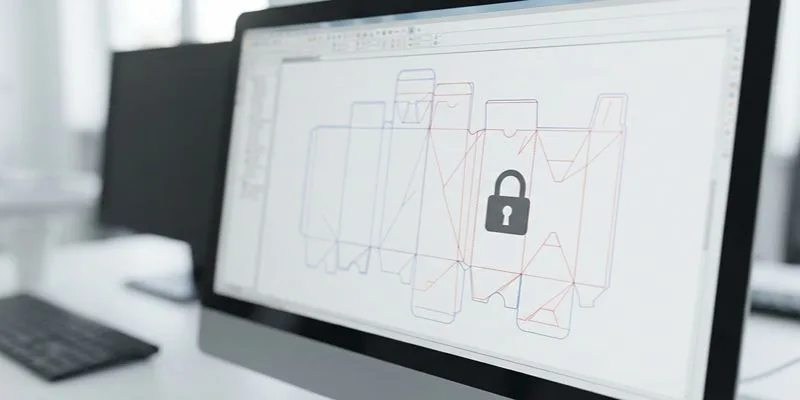
On our shop floor, I approve one converter-supplied carton dieline before any flavor file opens. Stop structural edits now. Freeze cut lines, crease lines, glue tab, bleed, and safe zones.
Also freeze tuck or lock geometry, insert points, child-resistant features, and panel naming. Every later flavor file inherits these locked coordinates. Move a crease after versioning, and I have watched that rework multiply across 12 SKUs in a single afternoon.
Assemble a white dummy or digital 3D proof. Fold it by hand. A correct sample snaps crisply at score lines and shows no cracking. The unprinted glue tab should feel clean, not varnished or slick.
Confirm all panels read in the right order after folding. Check that the warning panel and barcode zones land on flat, scannable areas. If you show the dieline visually, describe each panel location in words for screen readers. Do not rely on color alone.
Our primary workflow uses the manufacturer AI or PDF dieline. We use industrial Esko software to validate your CAD files. Our engineering team catches exact millimeter shifts and builds the master structural file.
That file belongs to our structural engineering and design team, and their measurements are the ones every flavor inherits.
⚠️ Experience Warning: I have seen one late glue-tab shift force a new plate and add five days. Lock it first.
— Christine Wong, Sales Director
Step 2: Build the Locked-Layer Master File
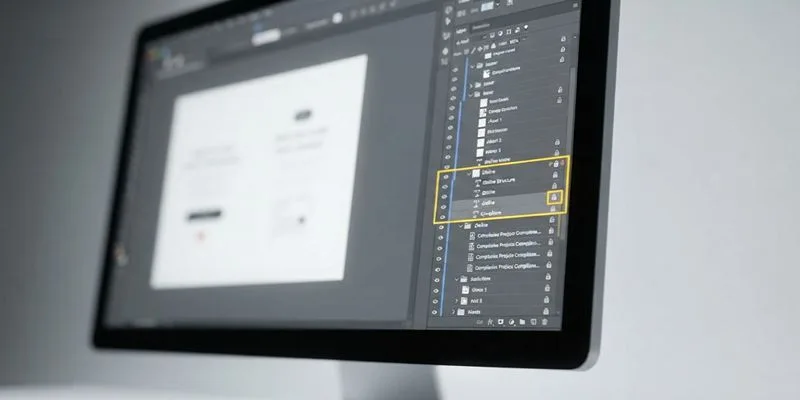
I build one Adobe Illustrator master before any flavor art lands. The clean master feels calm: artboards align, the dieline sits grayed out, and variable fields are visible on top. I lock three layers and leave one editable. Set the layer stack exactly:
- Dieline (non-printing, locked)
- Compliance (locked)
- Brand Assets (locked)
- Flavor Variable (editable)
- Finishes, White Ink, Varnish (separate, locked per SKU)
Put structure, warning-panel footprint, product size, legal icons, and the recurring brand block in the fixed layers. Add a universal QR destination and any non-drifting marks there too.
Put flavor name, colorway, and hero imagery or patterns in Flavor Variable. Add ingredient copy, SKU-specific nicotine strength, barcode or UPC, lot-code placeholder, and market microcopy there too.
For 10+ SKUs, use duplicated artboards per flavor or a templated version-control rule: SKU_flavor_date_v#. For larger rosters, switch to CSV or XML-driven variable fields or an Esko VDP workflow. This isolates edits, speeds approvals, and stops critical zones from moving.
Original-data box (50 multi-flavor runs):
| Metric | What the shared master changes |
|---|---|
| Setup time | The structural file is built once and inherited by every flavor |
| Plate changes | Only the artwork plate changes; the die and dieline never move |
| Waste | No repeated structural proofs; one pilot pair validates the run |
Name layers semantically. Do not rely on red and green coding alone. If the board itself is under review, our eco-friendly packaging materials guide compares stocks.
🧠 Author’s Take: I refuse generic names like Layer 1. On a 12-SKU run, semantic names cut file hunting and prevented one barcode-zone overwrite.
Step 3: Build the Same-vs-Change Matrix
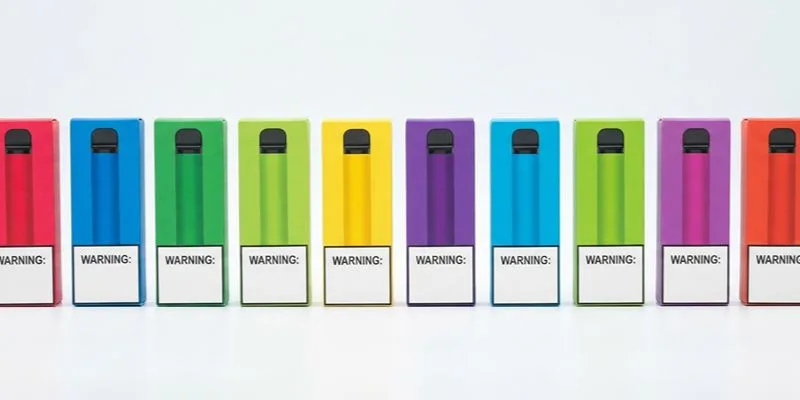
I pin the master dieline to the wall and force every flavor through one matrix. This stops flavor-line chaos before plates are cut. Here is the exact split we use.
| Must stay the same | Can change |
|---|---|
| Dieline geometry | Flavor name |
| Dimensions | Color palette |
| Board thickness | Secondary imagery |
| Bleed and safe zones | Flavor iconography |
| Warning-panel size and position | Ingredient details |
| Barcode position rules | Nicotine-strength line, if applicable |
| Opening direction | SKU code |
| Child-resistant features | Finish accents, if production allows |
| Glue area | |
| Mandatory legal marks | |
| Key brand architecture |
Fixed anchors preserve scannability and compliance. Variable fields create shelf differentiation. On our last 10-SKU lineup, warning blocks lined up flush. Barcode panels stayed flat. Flavor colors changed without the carton jumping structurally.
🧠 Expert Take: Small type, reverse type, and flavor art must stay clear of critical folds. A 0.5 mm plate drift is enough to fuzz small flavor type at the score line, so every flavor file holds the same registration target as the master.
— Li Wei, Senior Packaging Engineer, LeelinePackage
Verification: Line up thumbnail proofs of all variants side by side. If one panel shifts visually, investigate before release. This 30-second check caught a 1.5 mm warning-block drift in our shop.
For broader product families, one parent brand system can branch into different substrate programs. That requires a new master, not forced reuse. Compare corrugated vs cardboard before assuming a structure carries over.
🧠 Author’s Take: I make every flavor pass this matrix in review. The matrix caught drift faster than a full preflight.
Step 4: Version Every Flavor With Locked Copy and Barcode Control
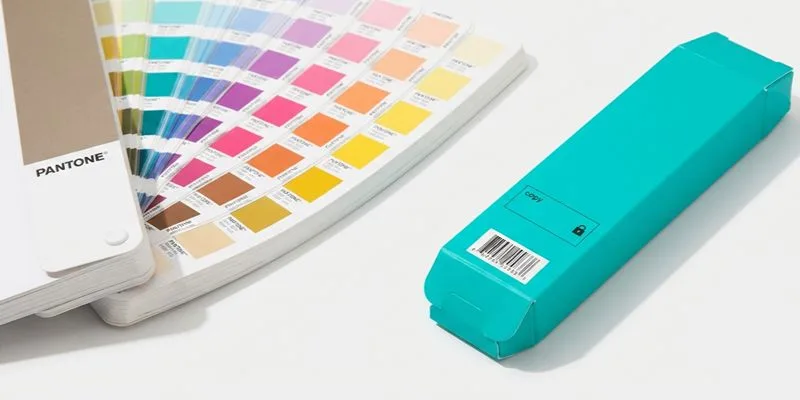
In our prepress room, I duplicate the locked master for each flavor. I never redraw it. Duplicate the artboard and rename it immediately: Brand_Product_Structure_Flavor_Region_Rev_Date.
Example: Acme_Vape_Carton_Mango_US_Rev03_2025-06-01. Swap only approved Flavor Variable fields. Keep all layer coordinates identical. I check X and Y position before and after each swap.
Keep one copy deck as the only text source. Maintain a barcode assignment sheet with one row per SKU. Lock global brand swatches. Relink images only from the approved server folder.
Log approval initials on the barcode sheet. Archive obsolete flavors in a Do Not Print folder with the date.
Preflight every variant: font sizes, 3 mm barcode quiet zones, black-text overprint behavior, CMYK and Pantone mapping, die-line non-print status, hidden-layer cleanup, and region warning text.
Check each UPC against the GS1 barcode specification. For file-prep support, see our packaging services.
Why this matters: most multi-SKU failures are versioning errors, not structural errors.
Planning note: digital is often easier for short, many-flavor runs. Offset or flexo may win at scale once artwork is stable. Our digital printing versus offset guide covers the crossover.
Validation: Every artboard shows the same dieline coordinates. Print preview shows no hidden layers. A handheld scanner reads each UPC on screen.
⚠️ Experience Warning: I have watched one unlocked swatch drag a Pantone match off-brand across 8 SKUs. Lock swatches and re-check every variant before release.
— Nick Wong, Packaging & Printing Specialist
Step 5: Run the Pilot Proof and Lock the Master
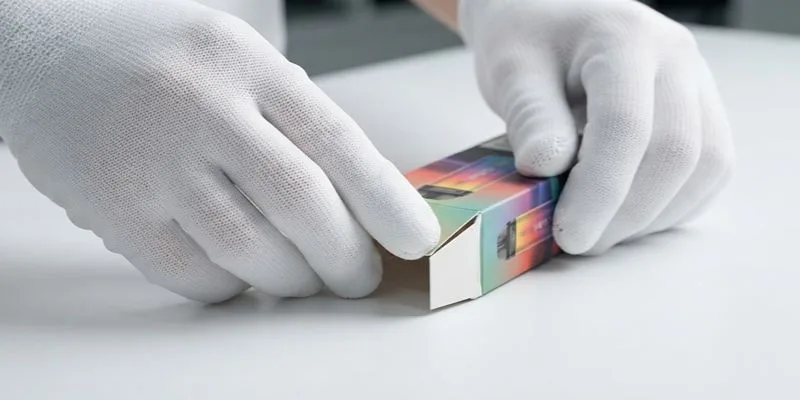
On our floor, I never release a full flavor line on a master dieline until a pilot proof passes. Pick one light and one dark flavor. They expose different prepress and registration issues. The dark flavor hid a 0.5 mm plate drift that the light flavor revealed instantly.
Check these items in order: color match, plate registration, warning-panel legibility, barcode scan, coating stop at glue areas, fold cracking, and distortion at score lines.
I run my finger along panel joins. I look for aligned registration, no color contamination into crease lines, and clean fold behavior. I scan each barcode with a handheld scanner. A first-pass scan is non-negotiable.
Gang-run logic: if multiple flavors share one press sheet or cylinder repeat, confirm flavor IDs and plate references are unmistakable. I circle them on the proof with a red marker. One wrong plate reference cost us 3 hours of sorting.
Rollout decision: once the pilot flavors pass, duplicate the approved settings across the remaining lineup. Do not re-approve the structure from scratch. This shortens the approval cycle and avoids re-proving the structure for every SKU.
Method diversity: physical sample is the gold standard. When time is tight, use a layered digital proof plus a white dummy. But I always insist on a physical confirmation before mass production.
The same pilot logic applies to disposable vape packaging, where a single structure usually serves a whole device family.
⚠️ Experience Warning: I have seen a pilot proof pass color but fail fold cracking at the score line. Always fold the proof by hand before you sign.
Troubleshooting of One Dieline Multiple Flavors
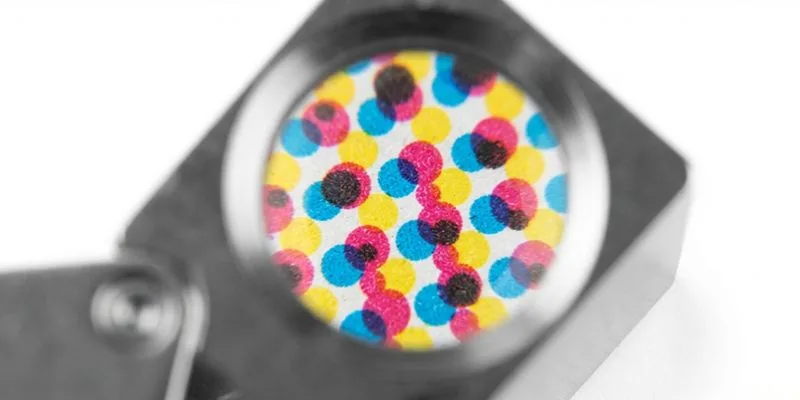
Most multi-flavor failures start in version control, not in the structure. They show up late, when flavor art drifts, one UPC stops scanning, and small type fuzzes at the fold.
1) Flavor Art Drifts Into Protected Zones
Problem: Flavor art hits the warning panel, or flavor reds drift between launches.
Cause: Editable layers cross locked footprints; swatches stay unlocked.
Fix: Expand the no-edit area. Rebuild the Flavor Variable layer with clipping guides. Lock master Pantone and CMYK swatches so every flavor pulls from one source. This is the failure we see most.
⚠️ Keep the 3 mm quiet zone; check REACH declarations if claims change.
2) Barcode Fails on One Flavor
Problem: One UPC won’t scan.
Cause: Color swaps kill contrast or quiet zone.
Fix: Keep the code on a flat panel. Preserve the GS1 quiet zone. Verify contrast and magnification after each color change. We scan every artboard.
3) Registration Drift Fuzzes Flavor Text
Problem: Small flavor type looks fuzzy.
Cause: Plate drift plus reverse type.
Fix: Avoid reverse microcopy. Add trapping or stroke weight. Keep text off folds and joins. I check proofs with a loupe.
4) Glue Tab or Fold Picks Up Ink
Problem: Ink or varnish contaminates glue and folds.
Cause: Art crosses the lock zone.
Fix: Enforce a hard no-print and no-varnish zone. Add a preflight alert.
🛡️ Prevention: Make preflight fail any file crossing the glue tab, warning panel, or barcode quiet zone.
5) Team Resizes the Existing Dieline
Problem: A new size reuses the old file.
Cause: Speed beats structure.
Fix: Stop. Commission a new structural file. Don’t scale the old dieline. Flavors can share one dieline only while structure, board, fitment, and compliance zones stay fixed.
Say no when size, child-resistant mechanism, or claims force a layout change. Digital suits short runs; offset wins at volume.
If board or barrier specs shift, compare biodegradable vs compostable and plastic-free packaging alternatives.
📝 Editor’s Verdict: These are version-control failures, not design failures. Lock compliance, swatches, and no-print zones before flavor art moves.
Final Thoughts
If you freeze the structure and control the flavor layer, one dieline can support an entire vape flavor family efficiently.
Your next move is simple: audit current SKUs, mark which ones truly share a structure, and build one master template before the next flavor launch. Do not default to a structural rebuild for every new flavor.
Need help? Contact LeelinePackage to request a structural review, dieline optimization check, or multi-SKU packaging quote.
For outer and refill formats beyond cartons, see Custom Corrugated Boxes and Custom Pouches.
Our engineers audit your structural files for free. We print the pilot proof. You approve the physical sample before we start mass production.
Disclaimer: This guide is built from our own pre-press records, factory proof sheets, and a working session with LeelinePackage’s engineering team. We take no supplier commission and receive no payment for any recommendation.
People Also Ask About One Dieline Multiple Flavors
1. Can I use one dieline for multiple vape flavors?
Yes, if every flavor shares the same carton structure, board grade, child-resistant mechanism, and compliance zones. One locked master dieline can handle 10+ flavors when only the Flavor Variable layer changes.
If size, fitment, or warning-panel footprint differs, stop and build a new structure. Do not scale the old file.
2. What can I change without new plates?
Flavor name, color palette, hero art, ingredient copy, SKU code, and the nicotine-strength line if space allows. Keep dieline geometry, board thickness, glue tab, barcode position rules, and the warning block fixed.
On our last 10-SKU lineup, locked swatches and a fixed barcode zone prevented a 1.5 mm warning-block drift. Check every code against the GS1 barcode standard.
3. What forces a new dieline?
A new dieline is required when device or bottle size changes, the child-resistant mechanism changes, the fitment changes, net-content or warning panels need more space, or board and barrier specs shift. One 2 mL size change cost a new plate and five days.
Follow the child-resistant rules in 16 CFR 1700.20.
4. How should I proof a multi-flavor vape carton?
Run a pilot with one light and one dark flavor. Check color match, registration, warning legibility, barcode scan, glue-area coating stop, and fold cracking. The dark flavor hid a 0.5 mm plate drift that the light flavor exposed.
Approve the physical proof before mass production, and keep Step 5 in your SOP.